Using the Desk
The Desk is Framework M's web-based interface for managing data. It provides list views, form views, and navigation for all your DocTypes.
Starting the Desk
The Desk is the main application UI served by the Framework M backend:
Production mode
m prod
Open http://localhost:8888 in your browser.
Database required: Set
DATABASE_URLin your app-level.env(for example,crm/.env) before starting Desk.Example:
DATABASE_URL=sqlite+aiosqlite:///./dev.dbWithout this, the UI may load but records will not be persisted to the database.
Note: The Desk is different from Studio. Studio (
m studio) is a development tool for building DocTypes visually. The Desk is for end-users to manage data.
Navigation
Sidebar
The sidebar shows all available DocTypes grouped by app:
📁 CRM
├── Contact
├── Lead
└── Opportunity

📁 Accounting
├── Invoice
└── Payment
Click a DocType to open its list view.
List View
The list view shows all records of a DocType:
| Modified | Last update timestamp |
秉
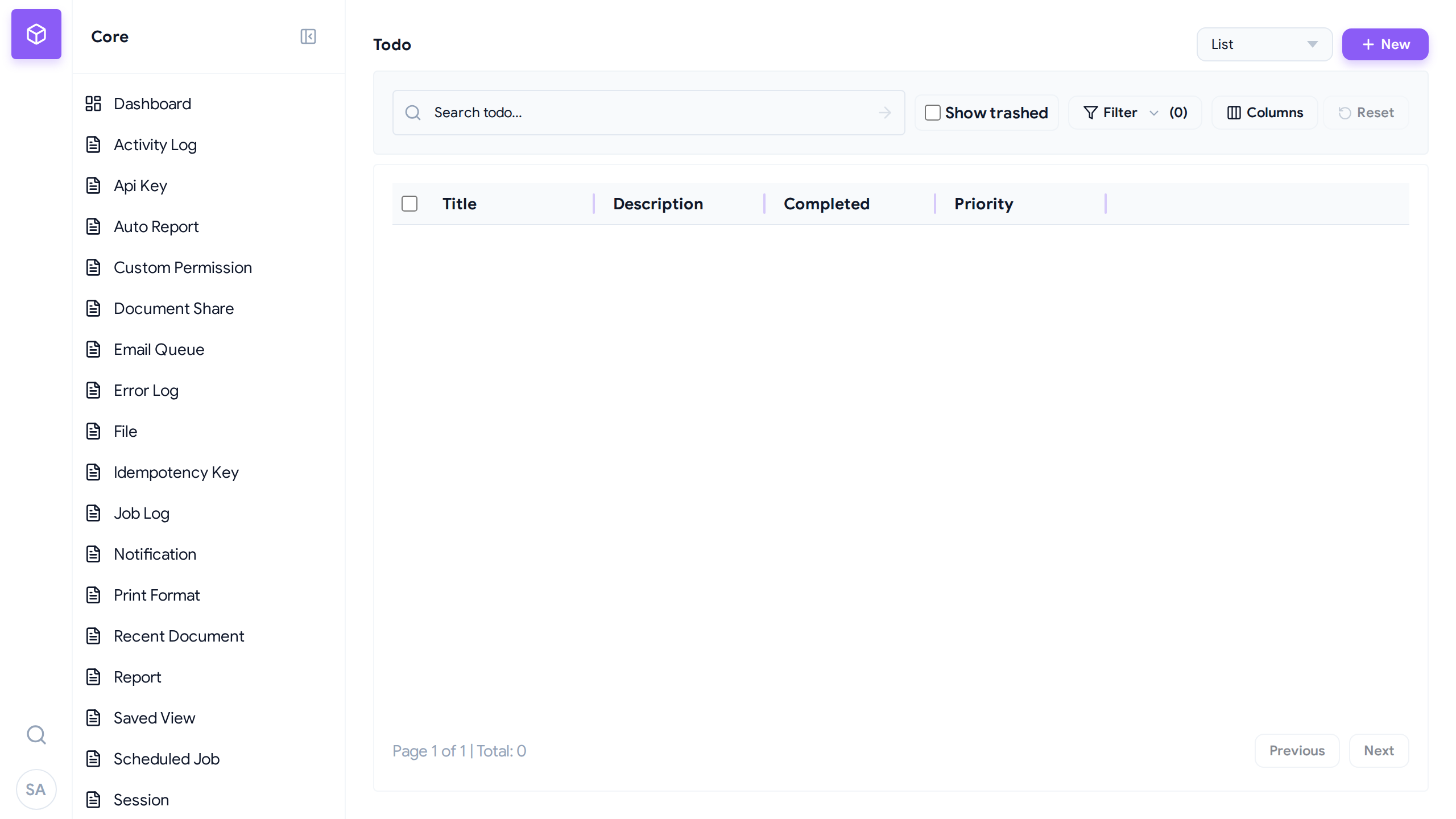 A standard DocType list view with filtering, sorting, and pagination.
秉
A standard DocType list view with filtering, sorting, and pagination.
秉
Features:
- Sort: Click column headers
- Filter: Use the filter bar (see Advanced Filtering)
- Search: Type in the search box
- Pagination: Navigate pages at bottom
Form View
Click a record name to open the form view:
- Edit fields directly.
- Save changes with the Save button.
- Delete with the Delete button.
- Submit/Cancel for submittable DocTypes.
Form State Management:
- Dirty State Tracking: The Desk warns you if you attempt to navigate away with unsaved changes.
- Navigation Blocking: Standard browser history back/forward and sidebar navigation are blocked when the form is dirty, prompting a confirm dialog.
- Auto-Save: If
auto_save = Trueis declared in the DocTypeMetaconfiguration, modifications will automatically save in the background as you edit fields.
秉
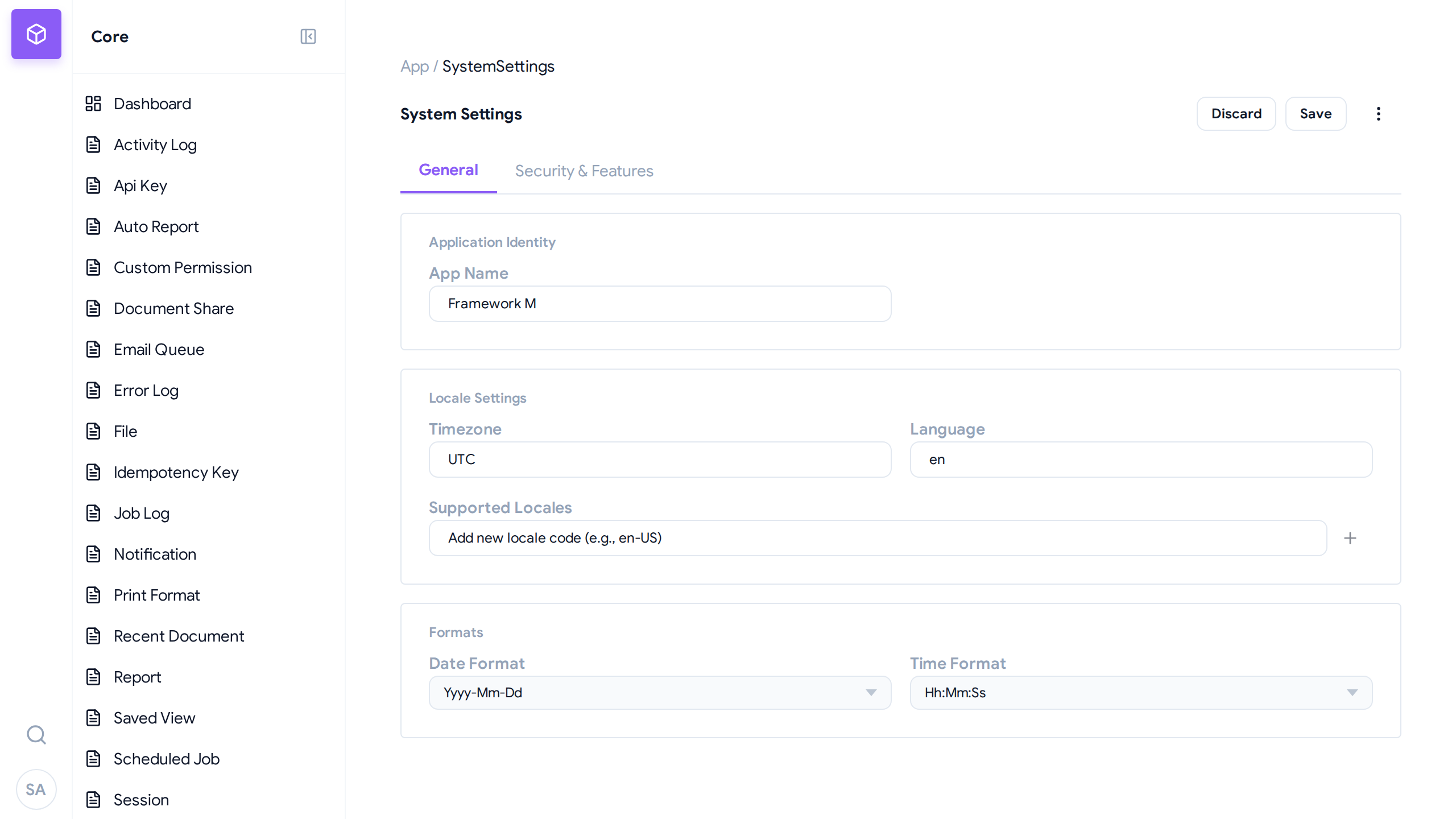 A singleton form view showing nested sections and application identity configuration.
秉
A singleton form view showing nested sections and application identity configuration.
秉
Calendar View
For date-based DocTypes, you can switch from the list view to the Calendar View. This arranges records by date (e.g. start/end dates), supporting drag-and-drop rescheduling and simple agenda clicking.
CRUD Operations
Create a Record
- Open the DocType list view
- Click + New button
- Fill in the required fields
- Click Save
Read/View a Record
- Open the DocType list view
- Click on the record name
- View all fields in the form
Update a Record
- Open the record form
- Edit the fields
- Click Save
Delete a Record
- Open the record form
- Click Delete button
- Confirm deletion
API Access
The Desk is powered by a REST API. You can access it directly:
Base URL
http://localhost:8888/api/v1/resource/{DocType}
Endpoints
| Method | Endpoint | Description |
|---|---|---|
GET | /api/v1/resource/{DocType} | List records |
GET | /api/v1/resource/{DocType}/{id} | Get single record |
POST | /api/v1/resource/{DocType} | Create record |
PUT | /api/v1/resource/{DocType}/{id} | Update record |
DELETE | /api/v1/resource/{DocType}/{id} | Delete record |
Examples
List all contacts:
curl http://localhost:8888/api/v1/resource/Contact
Get a single contact:
curl http://localhost:8888/api/v1/resource/Contact/1
Create a contact:
curl -X POST http://localhost:8888/api/v1/resource/Contact \
  -H "Content-Type: application/json" \
  -d '{
    "first_name": "John",
    "last_name": "Doe",
    "email": "john@example.com"
  }'
Update a contact:
curl -X PUT http://localhost:8888/api/v1/resource/Contact/1 \
  -H "Content-Type: application/json" \
  -d '{"email": "john.doe@example.com"}'
Delete a contact:
curl -X DELETE http://localhost:8888/api/v1/resource/Contact/1
Query Parameters
Filtering:
# Filter by field value
curl "http://localhost:8888/api/v1/resource/Contact?status=Active"
Pagination:
# Page 2, 20 records per page
curl "http://localhost:8888/api/v1/resource/Contact?page=2&limit=20"
Sorting:
# Sort by creation date descending
curl "http://localhost:8888/api/v1/resource/Contact?order_by=-creation"
Metadata API
Get DocType schema for building dynamic UIs:
curl http://localhost:8888/api/v1/meta/Contact
Response includes:
- Field definitions (type, label, required)
- Meta options (is_submittable, naming_rule)
- Permission settings
Keyboard Shortcuts
| Shortcut | Action |
|---|---|
Ctrl+S | Save current form |
Ctrl+N | Create new record |
Escape | Close current form |
Next Steps
- Advanced Filtering - Build multi-condition list queries
- Creating DocTypes - Define custom data models
- Getting Started - Install and setup